Blender vs Maya: An Honest Comparison (2026)
2026-11-10
"Blender or Maya?" is the question every new 3D artist asks, and most of the answers online are tribal nonsense — Blender people saying Maya is dead, Maya people saying Blender is a toy. Both are wrong. I teach Blender for a living and I work constantly with artists coming from Maya, so I see both sides with no horse in the race except your time. Here is the honest version: what each one is actually better at, what it costs, where the industry really stands in 2026, and how to pick the one that fits you.
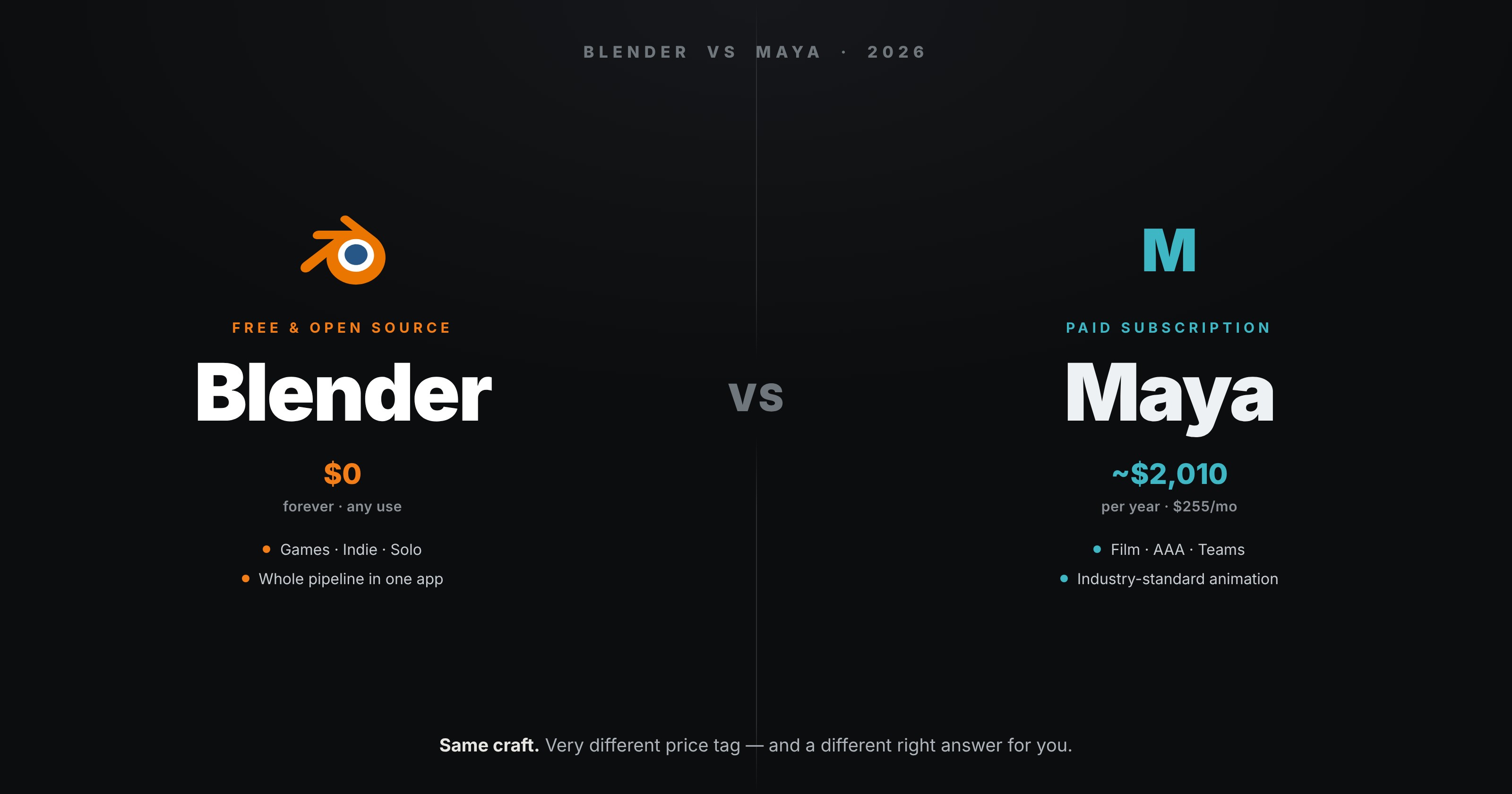
The short answer, before the detail: if you are learning 3D on your own, or you make games, or you are an indie or small studio, Blender is almost always the right call. If your goal is a job at a large film or AAA game studio, you will need Maya eventually — but you can still learn the fundamentals in Blender first. Now the why.
💸 Price: The One That Isn't Close
This is the headline difference, and it is enormous.
Blender is free. Not trial-free, not freemium — genuinely free and open-source, forever, for any use including commercial. No subscription, no seat licence, no "contact sales."
Maya is a subscription. At the time of writing it runs about $2,010 per year, or roughly $255 per month if you pay monthly. There is a Maya Indie tier at around $305–330 per year for solo artists who earn under a set threshold from their creative work, which softens the blow if you qualify — but the standard licence is the price most people face.
Over three years that is the difference between $0 and six thousand dollars. For a student, a hobbyist, or anyone testing whether 3D is for them, that gap alone settles the question before any feature is compared.
🧊 Modelling
Both are excellent modellers, and this is closer than the price.
Maya has a long-refined traditional polygon toolset that many veterans find faster and more predictable, especially for clean hard-surface and production topology. Its workflow is deeply standardised, which matters on a team where everyone has to work the same way.
Blender matches it on core modelling and arguably beats it on flexibility: its modifier stack is non-destructive and live, and Geometry Nodes is a procedural modelling system with no real Maya equivalent outside of paid plugins. For a solo artist, Blender's modelling is not a compromise — it is genuinely world-class.
Call this one a draw, tilting to Blender for solo flexibility and to Maya for standardised team pipelines.
🦴 Animation & Rigging
Here Maya still earns its price. Maya is the industry standard for character animation and rigging, full stop. Its rigging tools, graph editor and animation workflow are what most film and AAA studios are built around, and decades of pipeline tooling assume Maya.
Blender's animation has improved dramatically and is more than good enough for indie films, shorts and game cinematics — but if your specific dream is to be a character animator at a major studio, you will be working in Maya, and it is worth learning there.
Winner: Maya, clearly, for high-end animation and rigging.
🏭 Industry Reality In 2026
Let me be blunt because this is where the tribal arguments do real damage.
- Large film and AAA game studios still run on Maya (and often Houdini, ZBrush and Substance alongside it). If that is your target, Maya fluency is part of the job description.
- Indie games, small studios, solo creators, motion design, 3D printing, and a fast-growing slice of game art increasingly run on Blender, because it is free, capable, and its talent pool is exploding.
- Blender's share is rising every year, and more studios now accept Blender work or have Blender-friendly pipelines than did five years ago — but "rising" is not "has replaced." Both are true at once.
The practical read: the skills transfer, the software is a detail. Topology, edge flow, UVs, lighting, anatomy, timing — these are the same in both and are what actually get you hired. Learn those, in whichever program you can afford, and switching tools later is a few weeks of muscle memory, not a new career.
🎨 The All-In-One Advantage
One thing worth weighing: Blender is a whole pipeline in one free download. Modelling, sculpting, UVs, texturing, a full renderer (two, actually — Eevee and Cycles), compositing, video editing, and 2D animation are all in the box. In a Maya pipeline, several of those are separate paid tools.
For a solo creator that is decisive — you can take a project from blank scene to finished render without buying or opening anything else.
📊 At A Glance
| Blender | Maya | |
|---|---|---|
| Price | Free, open-source | ~$2,010/yr ($255/mo); Indie ~$305/yr |
| Modelling | Excellent + Geometry Nodes | Excellent, very standardised |
| Animation/rigging | Good, indie-ready | Industry standard |
| Sculpting | Built in | Needs ZBrush/Mudbox |
| Rendering | Eevee + Cycles included | Arnold (paid beyond limits) |
| Big-studio jobs | Rising, not dominant | Still the standard |
| Best for | Solo, indie, games, learning | Film/AAA pipelines, teams |
| Learning cost | Free, huge community | Paid, more formal routes |
🎯 So Which Should You Learn?
Learn Blender if you are self-taught, on a budget, making games or indie work, or you just want to start creating today without a subscription. That covers most people reading this.
Learn Maya if you are specifically aiming at a large film or AAA animation studio, your course or employer requires it, or you are a character animator targeting that world.
And if you already know Maya and are moving to Blender — which is more and more common as studios open up — do not start from zero. Your 3D fundamentals carry over completely; only the controls change. There are free tools that make Blender look and behave like Maya while you rebuild muscle memory, which I walk through in Blender for Maya Users. Most switchers are productive within an afternoon and fluent within a couple of weeks.
The real mistake is spending months agonising over the choice instead of learning the craft that both share. Pick the one you can afford and open it today. For almost everyone, that is Blender — and the price of being wrong is zero.
Read next: Blender for Maya Users: Look and Feel Like Maya — if you're coming from Maya, the free theme and workflow kit that make the switch feel like home.
Trying to decide, or already switching and want a human to shortcut the awkward first weeks? Book a free intro call → and share your screen. I teach Blender one-to-one and work with Maya artists making the jump all the time — one session saves a lot of lonely trial and error.
Newsletter
Get more tips like this
Short, practical Blender guides for beginners — straight to your inbox. No spam. Unsubscribe any time.