Godot vs Unity: An Honest Comparison (2026)
2026-11-10
For a decade, Unity was the default — the engine you learned because everyone learned it. Then in 2023 it announced a "Runtime Fee" that would charge developers per install, the community revolted, and a huge number of people went looking at Godot for the first time. Unity cancelled the fee in 2024, but the question never went away: Godot or Unity? If you make art in Blender and want to build games with it, here is the honest comparison — what actually changed, what each engine is good at, and where your Blender work lands in both.
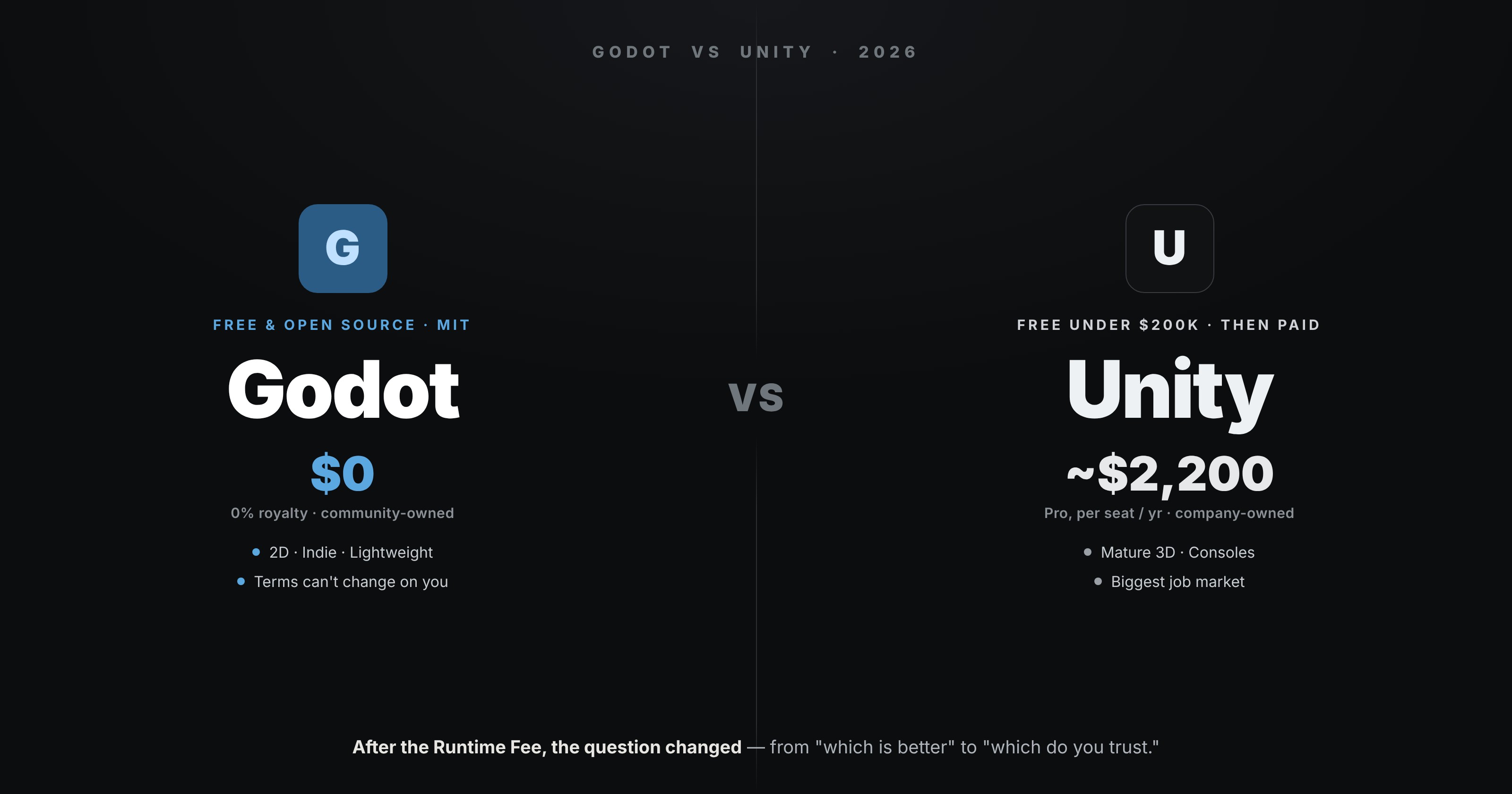
The short version: Godot is the lighter, friendlier, genuinely-free choice, especially for 2D and solo work. Unity is the mature, console-ready, job-market choice, especially for 3D and shipping to platforms. Both are free to start. The rest is detail — and trust.
🐘 The Elephant: The Runtime Fee
You cannot talk about this matchup without the thing that created it. In September 2023 Unity announced a fee charged per game install, retroactively, on terms it had not signed up developers for. The backlash was enormous, studios publicly threatened to leave, and Unity walked it back — then fully cancelled the Runtime Fee in September 2024 and returned to its old subscription model.
So on paper the crisis is over. But the reason people still search "Godot vs Unity" is that the episode changed the question. It is no longer only "which engine is better," it is "which engine can change the rules on me later." And that is the one contest Unity structurally cannot win: Godot is MIT-licensed and community-owned, which means no company can alter its terms, add a fee, or take anything away. For a lot of developers, that guarantee is now worth more than any feature.
💸 Price Today
With the fee gone, here is where the money actually sits:
Godot is free under the MIT licence — no subscription, no royalties, no revenue ceiling, no strings, forever.
Unity uses tiers. Unity Personal is free for anyone under $200,000 in annual revenue and funding (a ceiling it raised from $100k). Above that you need Unity Pro, which runs around $2,200 per seat per year, and large companies (over $25M) need Enterprise. For a hobbyist or small indie, Unity is effectively free too — but it is free up to a line Unity draws, where Godot has no line at all.
For most people starting out, both cost nothing. The difference is what happens if you succeed, and who holds the leash.
🕹️ 2D vs 3D
Godot has an excellent, dedicated 2D engine — many consider it the best 2D tool available — and its 3D is capable and improving quickly (Godot 4.7 shipped in mid-2026). For 2D and stylised 3D, it is a joy.
Unity is a mature, battle-tested 3D engine with a deep, well-documented pipeline and years of production behind it. For 3D specifically — especially if you want lots of tutorials, plugins and solved problems to lean on — Unity still has the edge in maturity.
🧠 Learning Curve & Scripting
Godot is light: a small download, instant launch, runs on modest hardware. Its native language, GDScript, is Python-like and very beginner-friendly, and it also supports C# if you want it. You are making things fast.
Unity uses C# and has the single largest learning ecosystem in game development — a decade of tutorials, courses and answered questions for literally every problem you will hit. The engine is heavier than Godot, but that enormous body of learning material genuinely flattens the curve. If you like learning from an endless supply of guides, that is a real advantage.
🎮 Consoles & Shipping
This is Unity's quiet trump card. Unity has smooth, official console publishing for PlayStation, Xbox and Switch, plus rock-solid mobile export. If shipping to consoles is anywhere in your plans, this matters a lot.
Godot can reach consoles, but not directly — you generally go through a third-party porting service, which is an extra cost and step. For PC, web and mobile, Godot is fine; for console-first ambitions, Unity is the safer path today.
🏭 Jobs & Momentum
Two true things that point in opposite directions:
Unity has the jobs. It remains one of the most in-demand engines on studio listings, with a massive asset store and professional ecosystem. If employment is the goal, Unity on your CV opens more doors right now.
Godot has the momentum. Its adoption has surged since the Runtime Fee, and by 2026 it was reportedly the most-used engine in some big game jams — overtaking Unity among that crowd. The job market has not caught up to that yet, but the trend line is steep.
So: Unity for today's job market, Godot for where the hobbyist and indie energy is heading.
🧩 The Blender Angle
The part that matters most for you: your Blender work drops cleanly into both, and the pipeline barely differs. Unity import from Blender is a mature, well-documented path — the same export discipline that keeps scale and rotation sane applies. Godot imports glTF (Blender's native export) beautifully and is a pleasure for artists who want something lightweight.
Either way, the real work happens in Blender before the engine ever opens: clean low-poly meshes, sensible texel density, tidy UVs and exports. Those skills are engine-agnostic, so you can pick the engine on its merits and carry your art across unchanged.
📊 At A Glance
| Godot | Unity | |
|---|---|---|
| Price | Free, MIT, no ceiling | Free under $200K; Pro ~$2,200/seat/yr |
| Ownership | Community-owned, can't change | Company-owned |
| Best at | 2D, stylised indie 3D | Mature 3D, mobile |
| Scripting | GDScript (Python-like), C# | C# |
| Consoles | Third-party porting | Official, smooth |
| Jobs | Rising fast | Biggest market today |
| Weight | ~100 MB, runs on anything | Heavier |
🎯 So Which Should You Pick?
Pick Godot if you want something light and genuinely free with no strings, you are making a 2D or stylised game, you are learning, or the Runtime Fee episode means you simply do not want a company able to change the deal.
Pick Unity if you are aiming at 3D with a mature pipeline, you want to ship to consoles, you want the deepest pool of tutorials to learn from, or a studio job is the goal.
If you are torn, decide by your next project and your feelings about trust. There is no wrong answer here — both run Blender art beautifully, and the skills (and in Godot's case, even the C#) carry across if you switch later. The engine is a container. Your Blender art and your ideas are the game.
Read next: Blender to Unity: Export Without the Scale and Rotation Mess — the settings that make your Blender models drop into an engine upright and correctly sized, every time.
Making game art in Blender and want it engine-ready for Godot or Unity? Book a free intro call → and share your screen. I teach the Blender side of the pipeline — clean meshes, bakes and exports that just work, whichever engine you land on.
Newsletter
Get more tips like this
Short, practical Blender guides for beginners — straight to your inbox. No spam. Unsubscribe any time.