Godot vs Unreal: An Honest Comparison (2026)
2026-11-10
You have been making art in Blender, and now you want it to do something — to walk around it, play it, ship it. That means a game engine, and the two names everyone argues about are Godot and Unreal. Most of the comparisons online are written by and for programmers. This one is written for the person with a folder full of Blender models who just wants to know which engine to pour them into. Here is the honest answer: price, 2D versus 3D, the learning curve, and where your Blender pipeline actually lands in each.
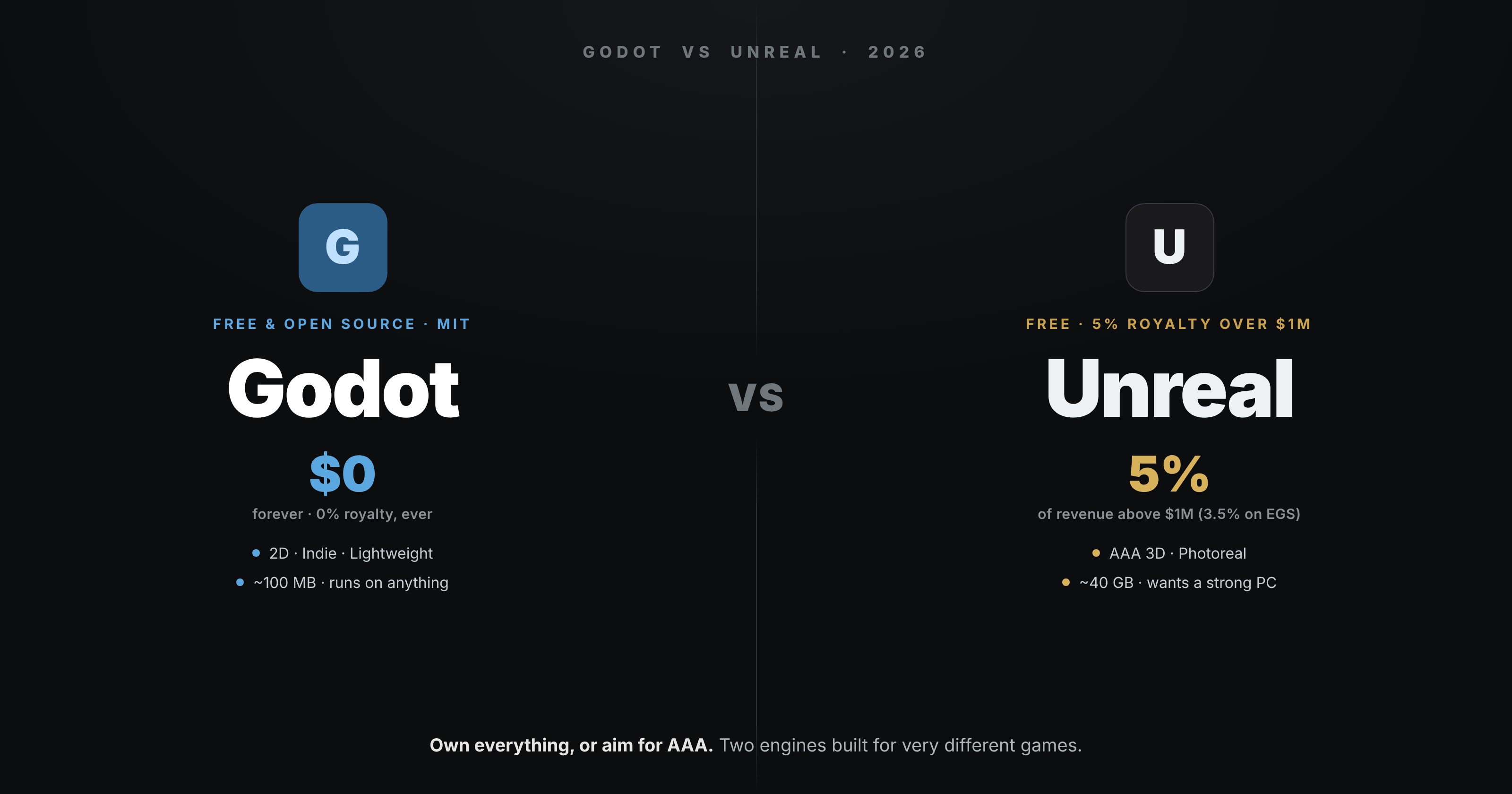
The short version, before the detail: Godot is the right call for 2D games, solo and indie projects, learning, and anything that needs to stay light. Unreal is the right call when your goal is high-fidelity 3D, photoreal visuals, or a job at a studio. They are not really competing for the same game. Now the why.
💸 Price & Ownership
The headline difference, and it is a genuine philosophical split.
Godot is free and open-source under the MIT licence. No subscription, no royalties, no revenue share — ever. You own your game and everything you make with it, completely, no matter how much it earns. The engine itself is community-owned, so there is no company that can change the terms on you later.
Unreal is free to download and use, with a royalty. You pay Epic 5% of gross revenue above the first $1 million a game earns over its lifetime (reduced to 3.5% if you launch on the Epic Games Store). For the overwhelming majority of developers that threshold never arrives, so in practice Unreal is also free — but the deal is structured very differently, and if you do hit it big, Epic takes a cut that Godot never would.
For most people this nets out to "both are effectively free to start." The real difference is ownership and philosophy: Godot is yours outright; Unreal is a generous loan from a company with a stake in your success.
🕹️ 2D vs 3D
This is where the engines genuinely diverge, and it is probably the deciding factor.
Godot has a best-in-class 2D engine — a dedicated 2D renderer, not 3D with the camera locked. If you are making a 2D game, Godot is arguably the best tool there is, full stop. Its 3D is solid and improving fast with every release, and is more than capable for stylised and indie 3D.
Unreal is built for high-end 3D and it is unmatched there. Nanite and Lumen give you film-grade geometry and lighting almost for free, which is why it dominates photoreal games, archviz and virtual production. For 2D, though, it is heavy overkill — the engine is not designed for it.
So: 2D or stylised indie 3D → Godot. Photoreal or ambitious high-fidelity 3D → Unreal. That single question answers most of the choice.
🧠 Learning Curve & Hardware
Godot is light. The download is around a hundred megabytes, it launches instantly, and it runs comfortably on modest hardware — even a laptop. Its main scripting language, GDScript, is Python-like and genuinely beginner-friendly, so you are writing working game logic within an hour. For a first engine, nothing else is this fast to get into.
Unreal is heavy. The install runs to tens of gigabytes, it wants a powerful PC and a good GPU, and compile times are real. It offers Blueprints — a visual, node-based scripting system that lets artists build logic without writing code, which is a genuine gift for non-programmers — alongside C++ for heavier work. The payoff is enormous capability; the cost is that it asks more of your machine and your patience before it rewards you.
🏭 Industry & Jobs
If a studio career is the goal, this matters. Unreal is an industry standard — widely used across AA and AAA games, film, and virtual production, with a large job market and a huge asset marketplace (Fab) behind it. Learning Unreal is a line on a CV that studios recognise.
Godot is rising fast — its adoption surged as developers looked for alternatives after Unity's pricing controversy, and its community and asset ecosystem are growing quickly. But it does not yet have a big-studio job market. It is the engine of indies, solo developers and hobbyists, which is a feature if that is who you are and a limit if you want a AAA job.
🧩 The Blender Angle
Here is the part the programmer comparisons skip: both engines love Blender, and your Blender pipeline barely changes between them.
Unreal has deep, well-trodden Blender workflows and handles imported assets beautifully — it is a famously happy pairing, and the most powerful all-free setup in 3D. Godot imports glTF (Blender's native export) cleanly and is a genuine joy for artists who want something lightweight.
Either way, the work you do before the engine is identical: clean topology, sensible UVs and texel density, low-poly meshes that an engine can run, and the same export discipline that keeps scale and rotation sane. Your Blender skills are engine-agnostic — which means you can choose the engine on its merits, not on fear of relearning your art workflow.
📊 At A Glance
| Godot | Unreal | |
|---|---|---|
| Price | Free, MIT, 0% royalty | Free; 5% over $1M (3.5% on EGS) |
| Best at | 2D, stylised indie 3D | Photoreal, high-end 3D |
| Scripting | GDScript (Python-like), C# | Blueprints + C++ |
| Download / hardware | ~100 MB, runs on anything | ~40 GB, wants a strong PC |
| Learning curve | Gentle, fast to start | Steep, powerful payoff |
| Jobs | Indie/solo, rising | Industry standard, AAA |
| Blender fit | Clean glTF import | Deep, mature workflows |
🎯 So Which Should You Pick?
Pick Godot if you are making a 2D game, you are new to engines, you want something light that runs on your current machine, or you value owning your work outright with zero strings. It is the best place to learn, and for indie and stylised projects it is often the right place to stay.
Pick Unreal if you are chasing high-fidelity or photoreal 3D, you have the hardware to run it, or you want skills that map directly onto studio jobs. For ambitious 3D, nothing else gives you so much out of the box.
And if you genuinely cannot decide, pick the one that matches your next project, not your dream project. You can learn the other later — and because your Blender art travels between them unchanged, switching engines costs you far less than it feels like it should.
The engine was never going to make your game good. Your art and your ideas do that. Both of these will run them beautifully.
Read next: Blender and Unreal Engine: The Happy Couple — why the Blender-to-Unreal pipeline is the most powerful all-free setup in 3D, and the gotchas nobody warns you about.
Making game art in Blender and not sure it is engine-ready? Book a free intro call → and share your screen. I teach the Blender side of the game pipeline — clean meshes, bakes and exports that drop into Godot or Unreal without a fight.
Newsletter
Get more tips like this
Short, practical Blender guides for beginners — straight to your inbox. No spam. Unsubscribe any time.